Pixel Sketch
Instructions:
Mouse click or tap to playDescription
Pixel Sketch Free Arcade Experience
Key Combinations
- Click or tap individual grid squares to fill them with the selected color.
- Select a new color from the palette before continuing to draw.
- Use the eraser tool to clear mistakes from the pixel grid.
- Save a finished piece once every intended square has been colored.
Features
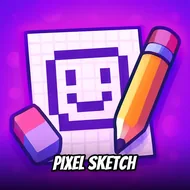
Pixel Sketch hands players a completely blank grid and a full palette, removing templates entirely so every finished piece comes purely from imagination. Whether the goal is sketching a small hero, a simple symbol, or something entirely abstract, the flexible canvas adapts to whatever idea comes to mind. Finished creations can be saved and shared with friends, turning a quiet creative session into something worth showing off afterward.
The stripped-down format keeps the focus entirely on creativity rather than complicated tools, making it approachable for casual doodlers while still providing enough depth for players who enjoy detailed pixel art. Building up a small personal gallery of saved pieces over time adds a satisfying long-term goal beyond any single session, and returning periodically to try a new idea never feels repetitive thanks to the endless creative possibilities available on the grid. It remains a comfortable pick for anyone seeking a relaxed, judgment-free creative outlet. Give it a try and see what kind of pixel masterpiece takes shape today. The absence of any strict rules makes every session feel personal and expressive. It works well for a quick doodle or an extended art project. No two finished pieces ever look quite the same.